Controller for Win10 Free download for android 11 (Red Velvet Cake)
APK file Controller for Win10 1.0.5 compatible with Android 11How to install APK / APKS / OBB file on Android
Last checked date: June 3, 2019
Short info
In general apk file Controller for Win10 Free has rating is 8.2 from 10. This is cumulative rating, most best apps on google play store have rating 8 from 10. Total reviews in google play store 414. Total number of five star reviews received 236. This app has been rated like bad by 46 number of users. Estimated number of downloads range between 10,000+ in google play store Controller for Win10 Free located in category Productivity, with tags and has been developed by Kerim Kaynakci. You can visit their website http://www.coolphototransfer.com or send help@coolphototransfer.com to them. Controller for Win10 Free can be installed on android devices with 2.2(Froyo)+. We provide only original apk files. If any of materials on this site violates your rights, report us You could also download apk of Google and run it using android emulators such as big nox app player, bluestacks and koplayer. You could also download apk of Controller for Win10 Free and run it on android emulators like bluestacks or koplayer. Versions of Controller for Win10 Free apk available on our site: 1.0.5, 1.0.4. Last version of Controller for Win10 Free is 1.0.5 was uploaded 2019/03/06
Screenshots of Controller for Win10 Free
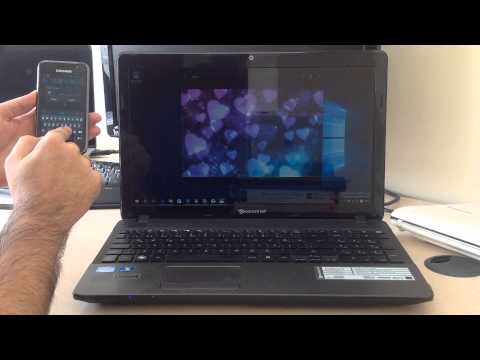

Description of Controller for Win10 Free (from google play)
Remotely control your computer by your phone or tablet.
Here are some features:
- Multitouch mouse trackpad
- Scroll and touch modes
- Talk to Cortana
- Easy Task View
- Easy Snapping
- Custom Gestures (draw to perform actions)
- Voice Commands
- Motion Actions (tilt, shake, zoom)
- Virtual Keyboard
- Easy search Google and YouTube by typing or by talking
- App Commands for most used apps (web browsers, media players etc.)
- Edge Gestures
- Power shortcuts
- Custom Tiles
- Draw to Edge browser
- Almost everything is customizable via PC (server) app
** You need to download the free server app from http://www.win10controller.com to your computer because this app manages the communication with your phone app.
Version history Controller for Win10 Free
New in Controller for Win10 1.0.5
Bug fixesAdvertisement
Please rate this app
More info
- LicenseFree
- File nameController for Win10
- File Version1.0.5
- Package namecom.kerimkaynakci.win10controllerfree
- Size1.95 MB
- UploadedJune 3, 2019
- Android4.0 or later
- CategoryProductivity
- DeveloperKerim Kaynakci
- Developer site
- Developer emailhelp@coolphototransfer.com
- md5 hash2c0c39a58ae72209d226cca519cc99dc
- Architecture-
- Permissionsshow (4)